

Discover the best interactive whiteboard 2026 for classroom and business use. Compare features, benefits, and top models to boost collaboration and engagement in 2025.
In the modern era of digital transformation, collaboration and engagement have become essential — whether you’re teaching students in a classroom or hosting strategy sessions in a corporate boardroom.
An interactive whiteboard bridges the gap between traditional presentations and dynamic, hands-on communication. But how do you choose the best interactive whiteboard for classroom vs. business use? Let’s explore how these environments differ and which solutions are best suited for each.
Interactive Whiteboard for Classrooms
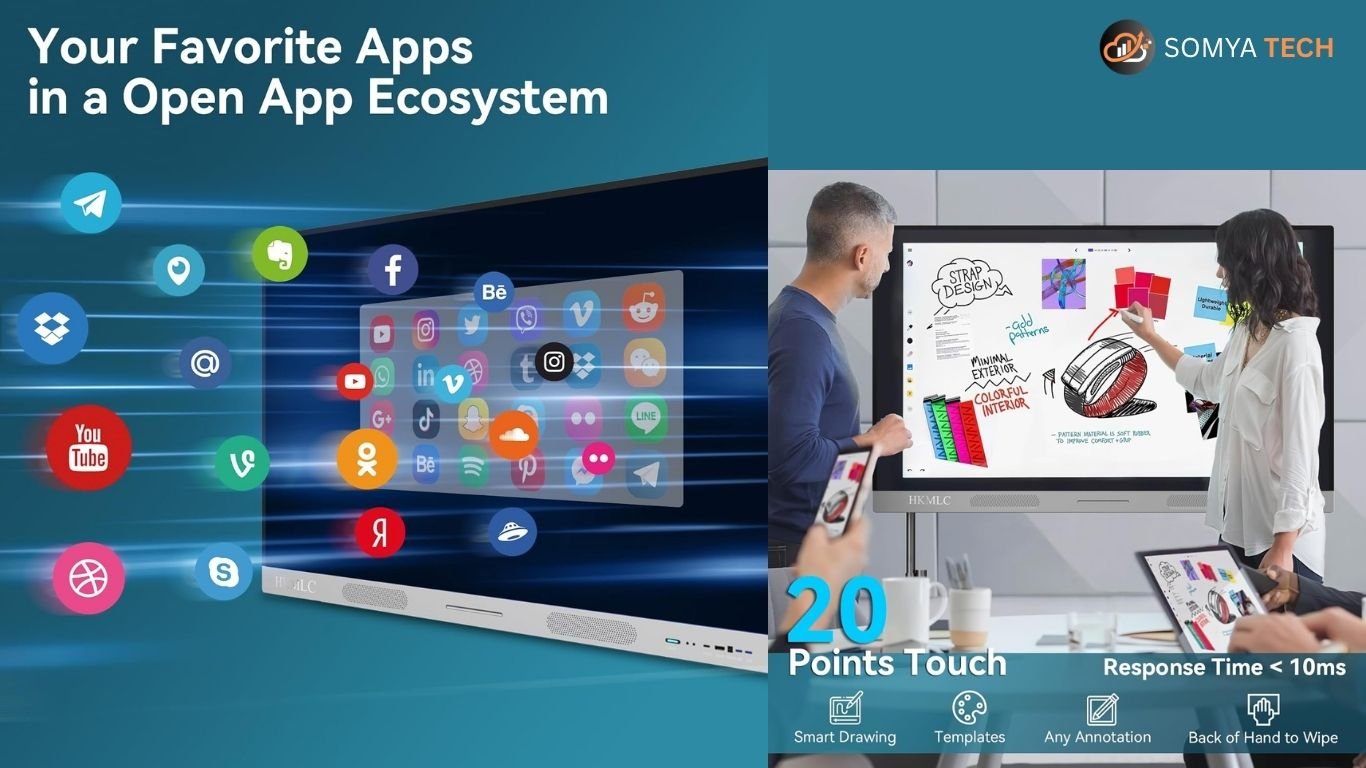
An interactive whiteboard for classrooms brings lessons to life. It replaces the traditional chalkboard with a digital display that allows teachers and students to write, draw, and interact with content directly on screen.
Key Benefits for Educators:
- Interactive Learning: Students can engage with videos, quizzes, and diagrams in real time.
- Visual Engagement: Complex subjects become easier to grasp with visuals and touch-based learning.
- Time Efficiency: Teachers can save, share, and reuse lesson content digitally.
- Collaboration: Multiple students can work on the board simultaneously.
- Accessibility: Supports hybrid and remote learning environments.
Best Models for Classrooms:
- SMART Board GX Series – Intuitive interface and powerful SMART Notebook software.
- Promethean ActivPanel 9 – Designed specifically for K–12 learning environments.
- ViewSonic IFP7550 – Affordable and reliable with Android integration.
- LG CreateBoard TR3DJ – Durable, large screen for group learning.
Ideal Use Case:
Schools, colleges, and coaching centers that want to enhance engagement, encourage participation, and create interactive, digital classrooms.
Link to: “Smart Classroom Solutions by Somya Tech
Interactive Whiteboard for Business Use
In the corporate world, the best interactive whiteboard for business use helps teams brainstorm, plan, and collaborate more effectively — both in-person and remotely.
Key Benefits for Businesses:
- Seamless Collaboration: Multiple users can annotate, share screens, and brainstorm in real time.
- Hybrid Ready: Connects to video conferencing apps like Zoom, Microsoft Teams, and Google Meet.
- Digital Presentations: Present projects dynamically and save annotated sessions instantly.
- Connectivity: Wireless casting, USB-C, and HDMI make it easy to connect any device.
- Professional Aesthetics: Sleek design complements modern meeting rooms.
Best Models for Business Use:
- Samsung Flip Pro – 4K UHD display with multi-user collaboration features.
- Microsoft Surface Hub 3 – Enterprise-grade solution with Microsoft 365 integration.
- Vibe Smartboard S1 – Great for startups and hybrid teams, with app integrations.
- BenQ RP04 Series – Designed for productivity and team presentations.
Ideal Use Case:
Startups, corporations, and conference rooms looking for powerful collaboration tools that integrate seamlessly with remote workflows.
Link to: “Corporate Display Solutions by Somya Tech
Comparison: Classroom vs. Business Interactive Whiteboard
| Feature | Classroom Use | Business Use |
|---|---|---|
| Display Size | 65–86 inches | 55–75 inches |
| Touch Points | 20+ for student collaboration | 10–20 for teams |
| Software Integration | Educational apps (SMART Notebook, Kahoot) | Productivity apps (Teams, Zoom, Miro) |
| Connectivity | Wi-Fi, HDMI, USB | HDMI, USB-C, Bluetooth, Screen Mirroring |
| User Focus | Teachers & Students | Business Teams & Executives |
| Design | Rugged and durable | Sleek and professional |
| Best Example | Promethean ActivPanel 9 | Samsung Flip Pro |
Tips for Choosing the Right Interactive Whiteboard
When selecting the best interactive whiteboard for classroom vs. business use, consider:
- Purpose: Teaching vs. professional collaboration.
- Software Ecosystem: Education-focused tools or business productivity apps.
- Budget: Classroom boards are often more affordable; business boards include enterprise features.
- Maintenance: Choose models with local warranty and reliable support.
- Connectivity Needs: Wireless, HDMI, and screen sharing are must-haves.
Link to: “Interactive Display Installation Services by Somya Tech
Why Choose Somya Tech for Interactive Whiteboards?
At Somya Tech, we specialize in delivering cutting-edge interactive whiteboard solutions for both classrooms and businesses. Our team provides:
- End-to-end installation and setup
- Custom integration with learning or collaboration platforms
- Training and support for educators and corporate teams
- Affordable pricing and bulk procurement options
Whether you’re a school looking to upgrade your digital classroom or a company building a high-tech meeting room, Somya Tech helps you find the perfect interactive whiteboard for your needs.
Contact us today at www.somya.tech to request a free consultation or demo.
Final Thoughts
Choosing the best interactive whiteboard for classroom vs. business use depends on your goals:
- For education, focus on engagement, simplicity, and student interaction.
- For business, prioritize collaboration, connectivity, and professional presentation.
No matter your environment, an interactive whiteboard is an investment in communication, innovation, and productivity — and Somya Tech is your trusted partner to bring that vision to life.